On this page
Passport OCR software reads the photo page of a passport, from a phone photo, scan or PDF, and turns it into data you can export to Excel: name, passport number, nationality, dates, sex and, on Pakistani passports, the CNIC. For a travel agency, it replaces hours of typing for every Umrah, visa or ticketing group. The part that matters most is not speed but knowing which fields you can trust without checking them.
This guide explains how passport OCR works, the difference between online and offline tools, what “99% accuracy” really means for a group of 40 pilgrims, and a checklist for choosing passport scanner software.
What does passport OCR software do?
OCR (optical character recognition) turns text in an image into editable text. Passport OCR is OCR tuned for passports. A good tool:
- Finds the passport data page in the image, even when it is rotated or photographed at an angle.
- Reads the machine readable zone (MRZ), the two lines at the bottom of the page defined by ICAO Doc 9303, and validates its check digits.
- Reads the printed fields that are not in the MRZ, such as father’s name, place of birth and date of issue.
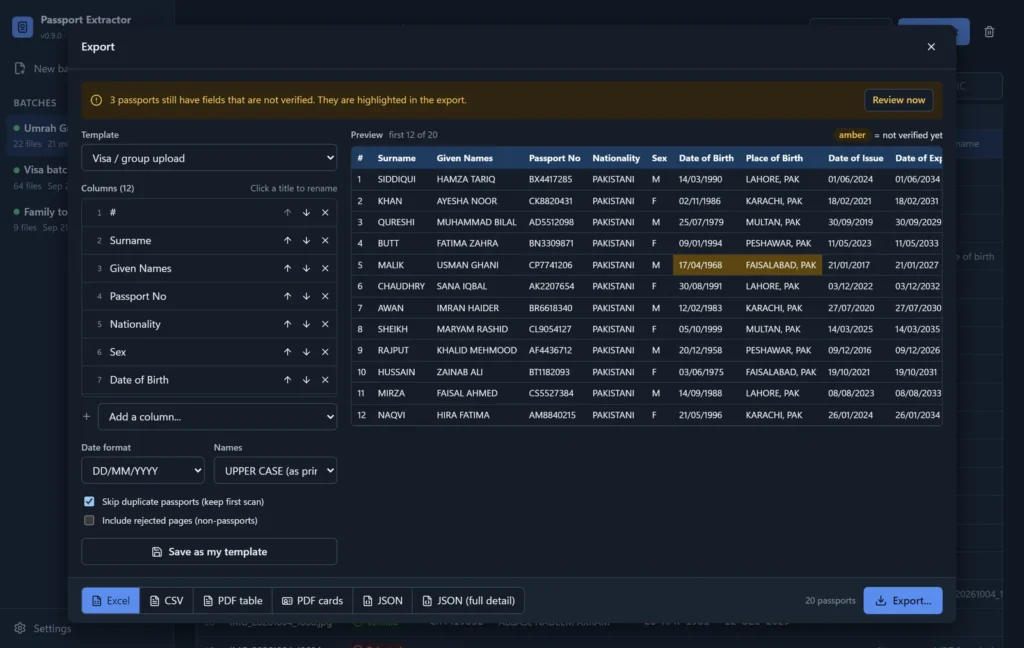
- Exports the results in the columns you need, as Excel, CSV, PDF or JSON.
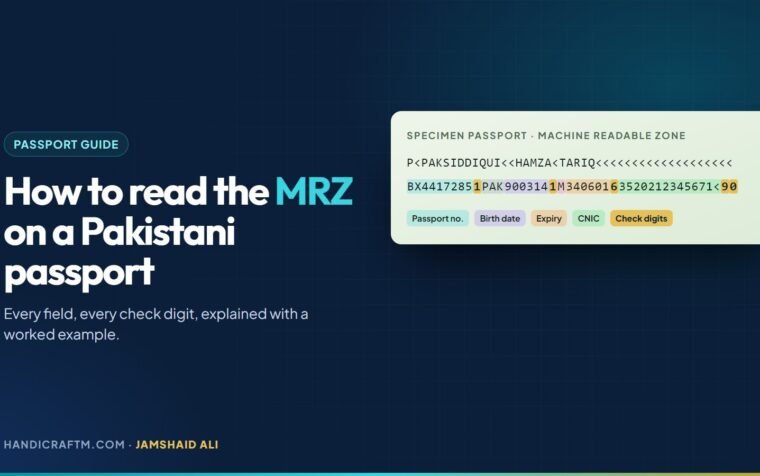
If the MRZ is new to you, start with our guide on how to read the MRZ on a Pakistani passport.
Online passport OCR vs offline software
Most passport OCR tools you find online are cloud services: you upload the images, their servers read them, and the data comes back. Offline software does the same work on your own computer.
| Online OCR service | Offline OCR software | |
|---|---|---|
| Where passports go | Uploaded to the provider’s servers | Stay on your PC |
| Internet needed | Yes, for every scan | No |
| Typical pricing | Per page, per month or per API call | Usually a one-time or yearly licence |
| Slow internet | Every upload slows down | Not affected |
| Setup | Often an account or an API integration | Install and run |
Cloud services suit companies with developers and proper data agreements. For a travel agency handling clients’ passports, the deciding question is simple: are you allowed to share these documents with a third party, and do your clients know? Keeping the scans on your own computer avoids the question altogether.
Is it safe to scan a passport?
Scanning a passport is safe. The risk is where the scan ends up. A passport image contains everything needed for identity fraud: full name, date of birth, passport number, photo and, on Pakistani passports, the CNIC. A few habits protect your clients:
- Do not upload client passports to free online converters you know nothing about.
- Keep scans in one folder on a password-protected computer, not scattered across WhatsApp chats and email.
- Delete scans you no longer need once the visa or ticket is issued, if your process allows it.
- Limit who in the office can open the passport folder.
What does “99% accuracy” mean for a group?
OCR tools often advertise accuracy of 99% or more. That sounds perfect until you do the maths for a real group. Take an Umrah group of 40 pilgrims with 17 fields each: that is 680 fields. If even 1% of them are wrong, about 7 values in your Excel sheet are wrong, and you do not know which ones. One wrong digit in a passport number is enough to cause a visa problem.
The better question is whether the software tells you which fields are proven and which need a look. Look for these behaviours:
- Check digits: the passport number, dates and CNIC are confirmed by the MRZ check digits.
- Agreement between readings: fields outside the MRZ are only trusted when independent readings agree.
- A review queue: anything uncertain is flagged, with the image shown next to it, instead of being guessed.
- Flags in the export: unverified cells are highlighted in Excel, so nothing unchecked slips through.
This is how we built Passport Extractor. In our own test on 23 real Pakistani passports and one CNIC, no wrong value was marked as verified and 97 to 98% of fields were verified automatically; the rest went to review, usually already showing the right value.
How to scan 50 passports to Excel, step by step
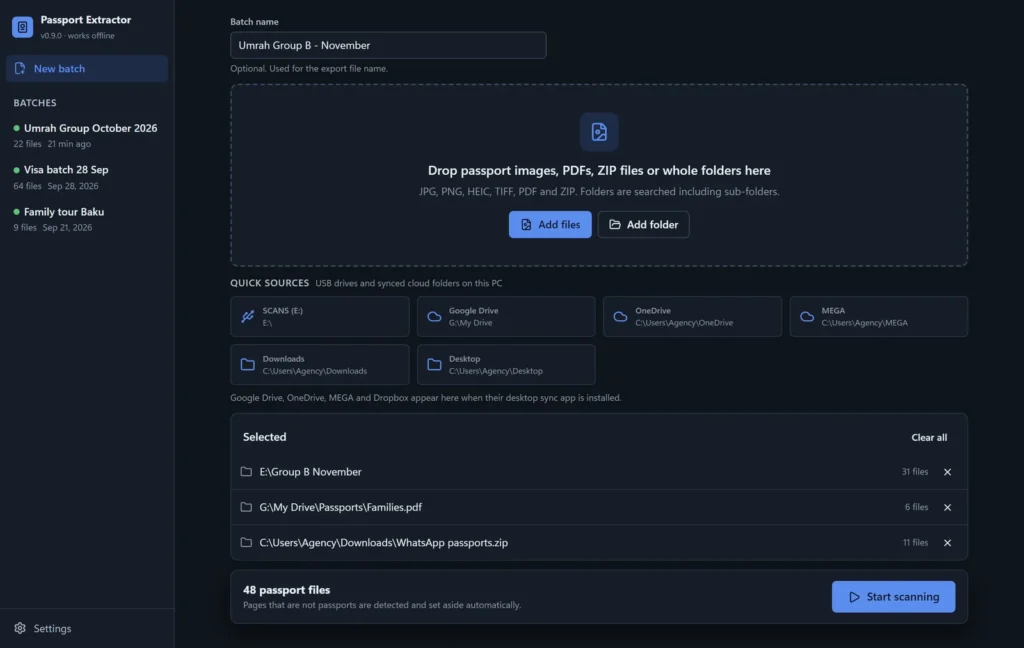
- Collect the images in one place. Phone photos, flatbed scans, multi-page PDFs and ZIP files from WhatsApp all work. Ask clients to send WhatsApp photos as a document so they are not compressed.
- Photograph properly. Lay the passport flat, fill the frame with the photo page, avoid glare from ceiling lights and keep the MRZ lines sharp.
- Run the batch. Add the folder and let the software scan in the background. Pages that are not passports, such as a CNIC, should be set aside automatically.
- Review only what is flagged. Check the few fields the software is unsure about, with the passport image next to them.
- Check expiry dates. For Umrah, a passport needs at least six months of validity; flag anything shorter before booking.
- Export in the right format. Choose the columns, date format and name case your visa portal, Umrah company or airline expects, and save the template for next time.
Checklist: how to choose passport OCR software
- Reads passports from photos, scans, PDFs and ZIP files in bulk
- Validates MRZ check digits instead of relying on confidence scores
- Reads Pakistani fields: CNIC, father or husband name, tracking number and booklet number
- Flags uncertain fields and shows the image for a quick review
- Works offline, or you are comfortable with where uploads are stored
- Exports to Excel and CSV with your own column order and date format
- Detects duplicates and expired or soon-to-expire passports
- Runs on the office PCs you already have
- Offers a free trial on your own passports
- Has a clear price and support you can actually reach
How much does passport OCR software cost?
Cloud OCR services usually charge per page or by monthly plan, which adds up quickly during the Umrah season. Desktop software is usually a one-time or yearly licence. Passport Extractor costs PKR 20,000 once per PC, with a free trial of 30 passports, so you can test it on a real group before you pay.
Final thoughts
Passport OCR software is worth it as soon as you type more than a handful of passports a week. Choose a tool that proves its readings with MRZ check digits, shows you exactly what to review, keeps client passports on your own computer and exports the columns your portal needs. If you also want bookings, Umrah packages and accounts in one place, take a look at Safar Studio, our travel agency software.